
Court TV
Katz Broadcasting, LLCNews & Magazines
3.7984.00 Reviews
- Version
- Varies With Device
- Installs
- 100.00K
- Age Rating
- Everyone
Screenshots
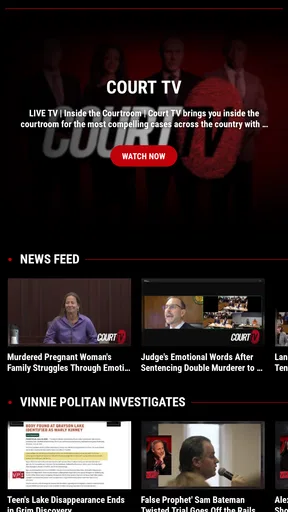
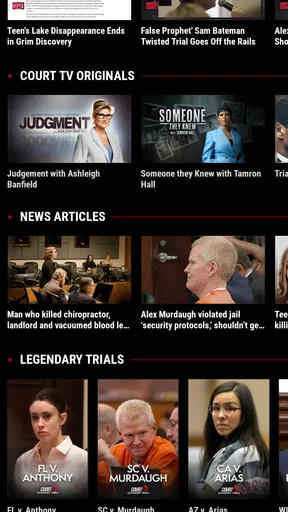
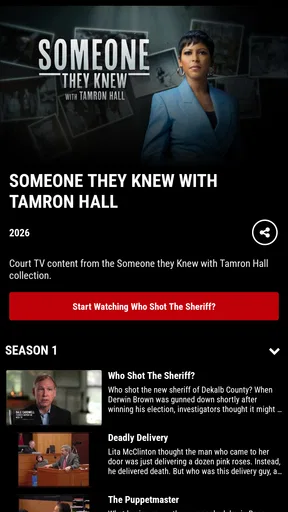
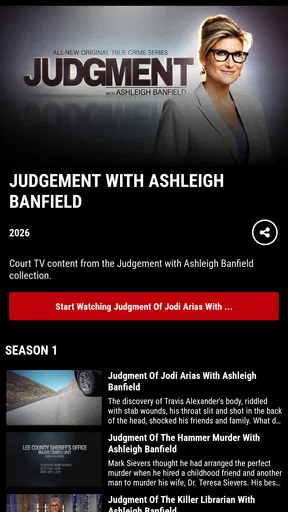
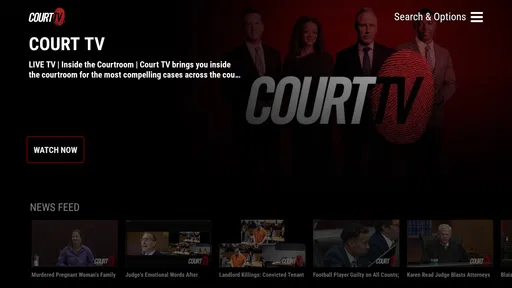
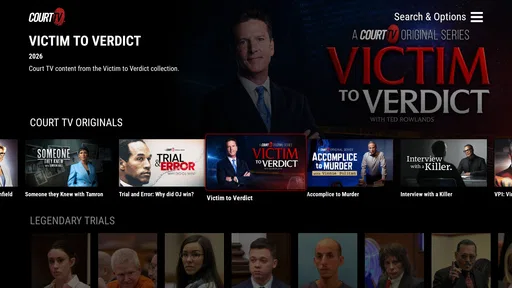
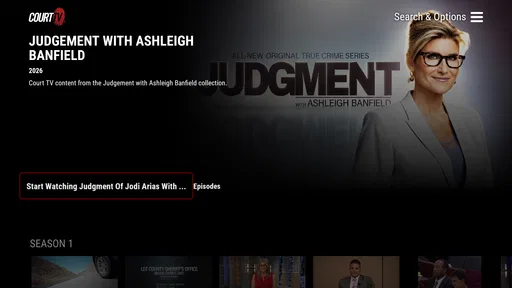
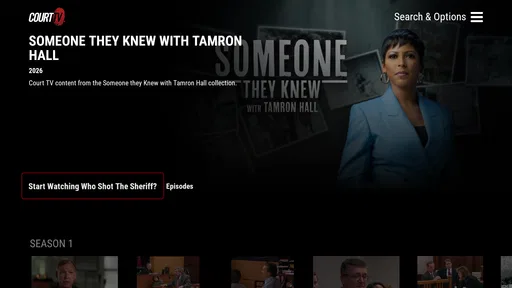
Our Review of Court TV
 Analysis by Appyee
I installed Court TV expecting a straightforward way to follow major courtroom proceedings, and that is exactly where it makes the most sense. This free news and magazines app from Katz Broadcasting, LLC is built around live, gavel-to-gavel trial coverage rather than a broad mix of headlines, entertainment, or general television programming. If you are the kind of viewer who wants to understand a case as it unfolds instead of relying only on short clips afterward, it offers a focused experience worth considering.
My recommendation depends on what you want from a news app. Court TV is not a replacement for a general news reader, and it is not the best choice if you only want quick summaries. Its value appears when a high-profile trial becomes the story you want to follow closely. In that situation, having a dedicated place for courtroom coverage can be more useful than jumping between news sites, social posts, and edited video segments.
How I Decided Whether Court TV Was Worth Keeping
I judged the app using four practical questions: how quickly I could reach live coverage, whether the courtroom presentation was easy to follow, how useful it would be during an ongoing case, and whether it deserved space beside the usual news apps already on a phone. Those criteria matter because a live trial is different from an ordinary news update. The viewer often needs continuity, patience, and enough context to understand why a particular hearing matters.
The first thing to understand is its narrow purpose. Court TV belongs to the news and magazines category, but it does not try to cover every kind of news equally. Its identity is courtroom-focused. That specialization is its main advantage and also its biggest limitation. I would not open it to check weather, politics in general, business headlines, or local events. I would open it when legal proceedings themselves are the story.
The app is free, which removes the biggest barrier to trying it. It is marked for Everyone and supports devices running Android 6.0 or later. That broad compatibility makes it practical for people using an older phone or tablet, although the viewing experience will still depend on the device, connection, and screen size. On a larger display, courtroom video is naturally easier to watch for long periods than on a small phone.
Court TV was released on May 1, 2019, and its continued presence gives it the feel of an established destination rather than a brand-new experiment. The current average rating is 3.7 from around two thousand ratings, with close to one thousand written reviews. I read that overall response as mixed but usable: enough people find value in the concept, while others are likely judging the app by the demands of live video and the uneven rhythm of courtroom proceedings.
What a realistic day with the app looks like
Imagine that a trial you have been following reaches a key witness on a weekday morning. You have a short break at work and want more than a social-media summary. I would open Court TV, look for the current live coverage, and watch long enough to understand the testimony directly. Later, rather than trying to reconstruct the entire day from scattered posts, I could return to the same courtroom-centered source and continue following the proceedings.
That workflow is useful because trials are full of details that disappear in short clips. A brief report may tell you that a witness testified, but it may not convey the sequence of questions, objections, pauses, or changes in tone that shape how viewers interpret the testimony. Court TV is better suited to people who want that fuller experience, even when it requires more time and attention.
There is also a practical way to use it without turning the day into continuous television. I would treat the app as a checkpoint rather than background noise: check in when a hearing begins, watch through a meaningful exchange, then return later for another segment. This is more realistic than expecting every user to sit through an entire proceeding. The app works best when you decide in advance how much courtroom coverage you can actually follow.
Where its courtroom focus genuinely wins
The strongest reason to choose Court TV is concentration. General news applications often place trial coverage beside politics, sports, celebrity stories, and breaking alerts. That variety is useful for everyday news, but it can make a developing case feel fragmented. A dedicated courtroom destination reduces that competition for attention and makes legal coverage the central experience.
It also gives the viewer a better chance to separate direct coverage from commentary. When I want to form my own impression of a proceeding, watching the courtroom feed is more satisfying than depending entirely on a headline or a short edited excerpt. That does not make live coverage perfectly neutral or eliminate the need for context, but it changes the starting point: I can observe the proceeding before reading someone else’s strongest interpretation.
The app is most valuable when continuity matters more than speed. A general news service may be faster at telling you that something happened. Court TV is more useful when you want to stay with the event as it happens and understand how one moment connects to the next.
Another non-obvious strength is its usefulness for viewers who are trying to learn how courtroom procedure feels in practice. A written explainer can define terms, but sustained viewing shows how testimony, objections, arguments, and judicial decisions fit together in real time. I would not use it as a substitute for legal education, but it can make the process less abstract for someone who is curious about trials and wants to observe rather than merely read.
Small habits that make the experience better
I found that the best approach is to prepare before opening the stream. If I already know the case or hearing I am looking for, I waste less time browsing and can focus on the live coverage. Keeping a short note of the last point I watched is also helpful, especially when a proceeding pauses or my schedule forces me to leave. That simple habit prevents the common problem of returning later and forgetting what was happening.
For longer sessions, I would use a stable Wi-Fi connection and a larger screen whenever possible. This is not a special Court TV feature; it is simply a sensible trade-off for live courtroom video. A phone is convenient for checking in, but a tablet or larger display is more comfortable when testimony continues for a while. Headphones can help in a noisy home, though they are not necessary for brief viewing.
I would also avoid treating every live moment as equally important. Court proceedings naturally include waiting, procedural discussion, and slower exchanges. The app is not failing just because the pace is not like a news bulletin. The useful skill is knowing when to watch continuously and when to check in periodically. That expectation makes the service feel much more manageable.
Where Other News Options May Fit Better
I compare Court TV with the news tools I reach for when I want a quick, rounded picture of the day. A general news app is better for scanning several topics, while written legal reporting can explain why a ruling matters without asking me to watch a long hearing. The useful choice depends on whether I need breadth, interpretation, or the courtroom itself.
When a general news app is the smarter choice
If your main goal is to understand what is happening across the world in a few minutes, a general news app is a better fit. It can place court developments alongside the rest of the day’s important stories, usually with shorter articles and faster summaries. I would choose that format when I need context quickly or when a trial is only one small part of my wider news routine.
Court TV asks for a different kind of attention. Live proceedings can be slow, repetitive, or difficult to interpret without background knowledge. Someone who wants a concise explanation of the legal significance may prefer written reporting from a trusted news organization. In that case, Court TV can still be a useful visual supplement, but it should not be the only source used to understand a complicated case.
When edited video or social clips are enough
Some viewers only want the most memorable moments: a ruling, a dramatic exchange, or a short statement from an attorney. Edited video and social platforms are more efficient for that purpose. They are easier to consume between tasks and usually demand less commitment than a live courtroom feed.
The trade-off is that short clips remove surrounding context. A moment that looks decisive on its own may have a different meaning when viewed alongside the questions and answers before it. I would choose clips for quick awareness, but Court TV for a more complete sense of the proceeding. Neither approach is automatically superior; they serve different levels of involvement.
Who should skip this app
I would skip Court TV if I rarely watch live video, dislike courtroom subject matter, or mainly want headlines in text form. It is also not ideal for people who expect every session to move quickly. Trials are not edited entertainment, and patience is part of the experience. If you are looking for a broad magazine-style reading app, this specialized focus will feel too narrow.
I would be cautious about relying on it alone if you need legal analysis, case history, or carefully explained background. The live courtroom experience can show what is happening, but understanding why it matters may require additional reporting. My preferred method is to pair direct viewing with a reliable written source, especially when the case involves technical legal issues.
The real cost of switching from another news routine
Because Court TV is free, switching does not require a subscription decision. The bigger cost is attention. Moving from short news summaries to live trial coverage means accepting longer viewing sessions and a less predictable pace. You may also need to adjust your routine around hearings instead of consuming updates whenever convenient.
There is a second cost: learning how to follow a case without becoming overwhelmed. A general news app often gives you a ready-made summary. Court TV places more responsibility on you to remember names, events, and procedural steps. I see that as a benefit for engaged viewers, but it can feel like extra work for someone who only wants the conclusion.
My advice is to test it during one proceeding rather than immediately making it your primary news source. Use it for a defined purpose, such as watching a key day or checking live coverage during a major development. If that experience helps you understand the case better than edited updates, keep it in your news rotation. If you find yourself waiting through coverage without gaining useful context, return to a written news service instead.
Privacy, access, and everyday practicality
On the practical side, the free price makes experimentation easy, and the Everyone rating means it is positioned for a broad audience. The Android requirement of version 6.0 or newer also covers many older devices. Still, compatibility alone does not guarantee a smooth session. Live video is more demanding than reading an article, so an older handset, weak connection, or limited battery can make extended viewing inconvenient.
I would download it on the device where I genuinely plan to watch trials, not merely the device I use for quick notifications. A phone is fine for a short check, while a tablet or television-connected setup is more suitable for sustained attention if your personal equipment supports that kind of viewing. The important decision is not just whether the app installs, but whether your normal viewing environment suits live courtroom coverage.
My recommendation for different kinds of viewers
For a trial follower, I recommend Court TV as a focused companion to ordinary news reading. Its live, courtroom-first approach can give you a clearer sense of the proceeding than headlines alone, and the free access makes it easy to add without replacing anything immediately. I especially like it for people who want to observe testimony and legal exchanges directly rather than consume only the most dramatic excerpts.
For a casual news reader, my recommendation is more limited. Install it when a particular case matters to you, but do not expect it to serve as a complete daily news app. A broad news alternative will be more efficient for routine updates, while Court TV can fill the specific role of extended trial coverage.
For students, aspiring legal professionals, or anyone curious about courtroom procedure, it can be a useful observation tool. The key is to combine viewing with independent reading so that the live feed is not mistaken for a complete explanation. Watching the process unfold is valuable, but context remains essential.
After using it, I see Court TV as a specialized choice with a clear purpose rather than an all-purpose news solution. Katz Broadcasting, LLC has created something that makes the most sense when a high-profile trial deserves sustained attention. The 100K-plus install figure suggests that it has reached a meaningful audience, while the 3.7 average shows that the focused concept will not suit everyone.
My final verdict: choose Court TV if you want direct, live courtroom coverage and are willing to give it time; choose a general news app if you want speed, variety, and concise explanation. I would keep it installed for major trials, use it alongside written reporting, and avoid judging it by the standards of a headline reader. Its strength is not doing everything. Its strength is giving courtroom coverage room to unfold.
Verdict
Strengths of Court TV
- Free access to live courtroom coverage and legal programming.
- Offers real trials, hearings, and true-crime analysis in one app.
- Video clips make it easy to catch up on missed courtroom moments.
- Simple interface helps users browse live and on-demand content.
- Useful for viewers interested in legal procedures and criminal cases.
Limitations of Court TV
- Content availability may vary depending on your location.
- Some features or streams may require a participating TV provider.
- Live broadcasts can include long periods with little action.
- Advertising may interrupt viewing and reduce the watching experience.
- The app may use significant mobile data when streaming over cellular networks.
Similar Picks in This Category
View All
Google News - Daily Headlines
Google LLC4.0

X
X Corp.4.8

Flipboard:Your Social Magazine
Flipboard3.4

Opera News: breaking & local
Opera4.5

Hindi News by Dainik Bhaskar
Dainik Bhaskar Group4.0

Way2News Daily News App
Way2News ( Formerly Way2SMS )4.6
Frequently Asked Questions
What is Court TV, and what kind of content does it offer?
Court TV is a news and legal programming app focused on live and recorded courtroom coverage, trial analysis, legal commentary, and crime-related reporting. Depending on your location, you may be able to watch ongoing high-profile trials, scheduled hearings, expert discussions, and selected clips. The available programming can change frequently, especially when major cases are being covered.
Is Court TV free to download and use?
The Court TV app is generally free to download, and many features or live streams may be available without a paid subscription. However, access can depend on your region, television provider, internet service, or the specific content being offered. Users should also be aware that the app may include advertising, and mobile data charges could apply when streaming over a cellular connection.
Can I watch Court TV live on Android or iPhone?
Yes, Court TV is designed to provide access to live programming on compatible Android and iOS devices. After installing the app, you can typically browse the live stream, current programming, and available videos. Playback quality depends on your internet connection, device compatibility, and regional availability. A stable Wi-Fi connection is recommended for longer courtroom broadcasts.
Does Court TV provide full courtroom trials or only short news clips?
Court TV may offer both live courtroom coverage and shorter videos, depending on the trial schedule and broadcasting rights. Some cases can be shown for extended periods, while other content may consist of highlights, legal analysis, interviews, or news updates. Not every trial is available in full, and programming can change when court proceedings are delayed or restricted.
Is Court TV available everywhere, and does it require an account?
Court TV availability may vary by country, territory, and local broadcasting agreements. Some users can access live and on-demand content immediately, while others may encounter geographic restrictions or require authentication through a participating television provider. Account requirements can also differ by platform and feature, so checking the app’s current terms and supported regions before downloading is recommended.
